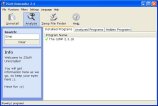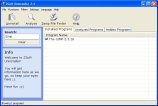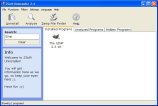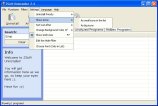
Box for illustrative purposes only.
ZSoft Uninstaller can be used as a Add/Remove applet replacement, but not only that, it can also:
- Analyze an installation so it can be completely uninstalled (also supports reboots of the computer as the process is split into two: Before and after the installation)
- Find and delete temporary files
- Delete entry's from programs that is no longer installed
- Hide Windows Updates
- Hide entries from the list that you are never going to uninstall (drivers etc.) making the list smaller and therefore easier to manage.
- Show more information than available though add/remove
- Automatically find entry's from programs that are most likely already uninstalled
- Automatically find entry's that are considered "crap-ware"
- (Off course) search the list of installed software
New in 2.4:
- It is now possible to get the list shown as icons (Settings -> Show Icons -> Any of the two) (It takes a little longer the first time, but the icons are cached so it should be (almost) as fast the second time)
- It is now possible to sort the list after name and time (both ascending and descending)
- You can now edit an analyzed logfile (remove things from the logfile) (Rightclick -> Edit -> Browse to what you want to remove -> Press Delete on keyboard -> Close window and answer 'yes' when asked if you want to save)
- New graphics thanks to "majalidic" (see screenshots)
- You can now browse for places in the registry to ignore (Ignorer filter)
- Can now delete files to Recycle Bin (uninstalling an analyzed installation & TMP File Finder)
- "Analyzed Uninstall Report" now more detailed
- Updated Hungarian translation, thanks to DWz
- Updated Italian translation, thanks to Giacomo Margarito
- Updated Valencian translation, thanks to Vicente Adam
- Updated Portuguese translation, thanks to Rui Morais
- Updated Russian translation, thanks to Alexander Shikin
- Alot of various fixes and updates
Is multilingual. Features the following languages in the main program: Danish, Dutch, English, French, Portuguese, German, Hungarian, Italian, Russian, Spanish & Valencian. Download (downloaded 16949 times)